
Sponsorship Announcement
This gear guide is sponsored by Sweetwater, and you can click through to their website to read customer reviews, check prices, or make a purchase, however, all of the recommendations below have been made by the Gearank team.
MIDI Keyboard Guides
For many years, the MIDI keyboard controller has been a ubiquitous tool in the home studio. Along with your standard fare of piano keys, these useful instruments often double up as controllers. They usually come with a slew of buttons, faders, and knobs to streamline workflow.
The 61 key keyboard MIDI format is popular among music producers and multi-instrumentalists. It offers a sweet spot of 5 octaves, capable of handling most contemporary popular music without craving for more range.
Sure, you could go with a smaller 25-Key or 49-Key MIDI Controller, but those might leave you wanting more.
On the other side of the spectrum, classically trained pianists might prefer a full 88-Key MIDI Controller. But they sacrifice portability and take up a lot of desk space. The 61 key midi controller format offers a good in-between, having a wide note range while still being reasonably portable. Some prefer them over standalone Portable Keyboards because the laptop provides more sound options.
So without further ado, here are the best 61 key keyboard picks for studio and live performances. These are the top picks as dictated by the market and measured with our proprietary Gearank rating.
The Best 61 Key MIDI Controller Keyboards
| Gearank* | SRC* | Check Price | ||
|---|---|---|---|---|
 | Yamaha MX61 V2 | 93 | 325+ | |
 | Arturia KeyLab 61 MkII | 92 | 400+ | |
 | Nektar Impact GX61 | 91 | 2150+ | |
 | M-Audio Keystation 61 MK3 | 91 | 2200+ | |
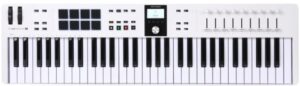 | Arturia KeyLab Essential 61 MkIII | 91 | 150+ |
Yamaha MX61 V2
Cons
- Its large number of features require a lot of time to master
Pros
- Extra value of being both a synth and a controller
- Integrates well with most popular DAWs
- Low weight makes it quite portable
- Good range of quality built-in sounds
- Built-in USB audio allows digital recording
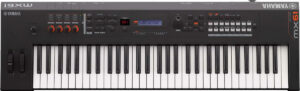
The Yamaha MX61 V2 is a hybrid of a synthesizer and MIDI controller with some DAW Control features.
As a contender for the best 61-key keyboard controller, it is a class-compliant device, which makes it plug-and-play compatible with major operating systems, including iOS, with an Apple camera connection kit.
DAW controls include transport, mixer, and even virtual instruments.
Being a synth that doubles as a MIDI controller is certainly the star feature of the Yamaha MX61 V2. It's fairly uncommon to find a hybrid device in this category where there are no compromises with regard to its function as a controller. The AI Knob's ability to tweak controls that you mouse over is also a cool plus.
Although the focus of this guide is MIDI Controller functionality, I'm very pleased with the sound quality of the MX61 V2's synth and sound library, borrowing select sounds from the MOTIF XS, Yamaha's more expensive synthesizer workstation line.
There's no such thing as a free lunch, and the MX61 V2's rather expansive feature set has a bit of a learning curve, and I had to look up tutorials online to make the most of the unit.
If you're looking for a Synth/MIDI Controller hybrid and are ready to dig deep to maximize its functionality, the Yamaha MX61 V2 is right up your alley.
Specifications
- Keys: 61 Synth action, touch sensitive
- Pads: None
- Power: 12V DC power supply (included)
- Bundled Software: Cubase AI included, FM Essential iOS synth app
- Controls: 9 knobs and 40 Buttons, Pitch and Mod Wheels
- Octaves: Octave Up and Octave Down Controls
- Connectivity: 1 x 1/8" (aux in), 2 x 1/4" (main out), 1 x 1/4", USB 1 x Type B, 1 x Type A, MIDI I/O 5-pin
- Compatibility: Mac OS X 10.11 or higher, Windows 7 SP1 or higher, iOS
- Dimensions: 38.7" x 4.4" x 11.7"
- Weight: 10.6 lbs.
| Website | Source | *Rating Value |
| YouTube | MeXKeys | 90/100 |
Arturia KeyLab 61 MkII
Cons
- Knobs and faders are on the right side, making it tricky to manipulate with your left hand while playing with your right
Pros
- Excellent build quality and componentry
- Easy integration with almost any major DAW on the market
- Comes bundled with Arturia's Analog Lab V and Piano V virtual instruments and works seamlessly with their entire software instrument suite
Other keyboards in this price point already offer so many features. So, Arturia strayed from adding more, rather, they focused on key features and stepped up to the challenge by making integrations so easy that you can get to writing or performing right away.
They provide Analog Lab, Piano V, and Ableton Live Lite as a bundled suite to get your creative juices flowing faster out of the box.
Arturia presents the KeyLab as a near-universal controller for almost any major DAW on the market. All of this is wrapped in an aluminum chassis to stand up to the rigors of road use.
I have to give Arturia praise for this keyboard's solid build and component quality. I also love its ease of integration with my existing setup with no complicated driver setups or mapping.
One minor gripe with the layout of this keyboard is how the knobs and faders are on the right side. This makes it a bit tricky to manipulate those controls with your left hand while playing with your right.
This may be a personal thing but I would have preferred this control bank more on the center or to the left of the keyboard.
In an already crowded market, Arturia beats many other offerings in the price range with its features. Feature-packed and easily integrated - as long as you're okay with the quirky layout, this is a great option.
Specifications
- Keys: 61 / full-size / semi-weighted / aftertouch
- Pads:16 RGB-backlit performance pads
- Power: USB Bus powered, 9V DC power supply (sold separately)
- Bundled Software: Analog Lab, Piano V, and Ableton Live Lite
- Connectivity: USB, Sustain Pedal Jack
- Controls: Power Switch, Transport Controls, 9 rotary encoders, 9 faders, 16 backlit RGB performance pads, Modulation Wheel, Pitch Bend, Misc. Assignable Buttons
- Octave: up/down with transpose
- Compatibility: Mac OS 10.10+, Win 7+ PC, iOS via Apple Camera Connection Kit
- Dimensions: 11.7" x 34.5" x 2.1"
- Weight:17.64 lbs
| Website | Source | *Rating Value |
| Reviewer's Revival | Brother Charles | 90/100 |
| Gearspace | Arthur Stone | 100/100 |
Nektar Impact GX61
Cons
- No 5-pin MIDI connectivity
- Light feeling non-weighted keys
Pros
- Essential DAW functionality (DAW transport, octave/transpose controls) at a good price point
- Pitch and MIDI assignable modulation wheel
- Class compliant - easy to set up and works with most DAWs and OSs right out of the box, including iPad (Apple Camera Connection Kit Required)
- Small profile and lightweight - easy to transport and will fit most home studio setups
- Great build quality for the price
The Nektar Impact GX61 is a simple and compact 61 key Keyboard MIDI controller. It provides essential keyboard functionality at a very good price point, with a few extras thrown in. It doesn't have much in the way of bells and whistles, but it provides what you'd expect in the price range.
At its core is its decent synth-action keybed with 61 full-size velocity-sensitive keys. The keys are light and easy to use.
Note that this soft playing feel may put off those who prefer action similar to acoustic pianos. But it is unreasonable to expect an ultra-premium feel in this price range. Considering the extras you get and DAW transport controls, the value proposition is solid.
These extras include 7 assignable buttons for controlling 14 MIDI functions with the shift button. It also has a large MIDI-assignable potentiometer knob (volume by default). It has a MIDI assignable modulation wheel.
The Impact GX61 comes with octave up/down buttons with multi-colored LED indicators that show the exact status. It also has Transpose up/down buttons with LED indicators, assignable to send Global MIDI Channel or Program). It has your run-of-the-mill pitch bend wheel and 1/4” TS jack foot switch input that's also MIDI assignable.
It is designed to pair with popular DAWs like Cubase, Reason, Nuendo, Garageband, Sonar, Logic, Bitwig, Reaper, Studio One, and FL Studio. But being a class-compliant device makes this work with virtually any DAW or OS. You can even pair this with an Apple Camera Connection Kit to use with an iPad!
Nektar was able to pack all these features without compromising portability with its small profile and lightweight.
I find myself pleasantly surprised with the overall quality of the Nektar Impact GX61 right out of the box. Its weight and portable size are just right for mobile use, and I'm impressed with how easy it is to set up. I recommend this to guitarists or bassists like myself who want a compact piano in their home studio. Its ease of use makes this perfect as your very first MIDI controller as well.
The key action is a bit on the light side and I wish they produced a version of this keyboard with semi-weighted keys for those (like me) who prefer that feel. Also, I was hoping for regular 5-pin MIDI connectivity - you'll have to choose another keyboard if you want this option.
The overall feel of the controller can be described as "toy-like" but not enough to feel low quality. During fast runs, odd notes pop out here and there in terms of velocity level.
If you prefer a minimalist setup with light synth-action keys and you don't need 5-pin MIDI, then the Nektar Impact GX61 should be high on your list.
Specifications
- Keys: 61 / full-size / synth-action / velocity-sensitive
- Pads: None
- Power: USB Bus powered
- Bundled Software: Bitwig 8-Track
- Connectivity: USB, 1/4” TS Jack Foot Switch Input
- Controls: Power Switch, Controls, 7 x Transport Buttons (MIDI Assignable 2 functions per button) , Assignable Knob and Modulation Wheel, Pitch Bend
- Automap: Most DAWs (Bitwig Studio, Cubase, Digital Performer, Garageband, Logic Pro, Nuendo, Reason, SONAR, Studio One, FL Studio, Reaper)
- Octave: up/down with Transpose Function
- Compatibility: Mac OS X 10.7 or higher, Windows 7 or higher, iOS via Apple Camera Connection Kit
- Dimensions: 7.75 x 38 x 2.75 inches
- Weight: 6 lbs
| Website | Source | *Rating Value |
| Guitar Junky | Charles Vallena | 90/100 |
| YouTube | John Mike | 50/100 |
M-Audio Keystation 61 MK3
Cons
- Getting it to work with analog synths has a bit of a MIDI learning curve.
Pros
- Good feeling semi-weighted keys inspire confidence in your playing
- A plethora of useful bundled software such as VST instruments and starter DAWs
- Includes a 5-pin MIDI output that works with hardware synths
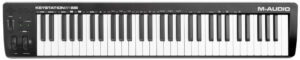
The M-Audio Keystation 61 MK3 has everything you need to get started with music production.
This USB bus-powered keyboard controller is class-compliant. So, it works with almost all operating systems, including iOS, when paired with a lightning camera connection kit.
It is ideal for those who are transitioning from piano to MIDI controller. The full-size, semi-weighted keys will feel more familiar than synth-action keys more commonly found at this price point. And since it is a 61-key MIDI keyboard, you have more range than smaller controllers.
It also includes a generous suite of bundled software, including Ableton Live Lite, Pro Tools First, AIR VST instruments, and more.
The M-Audio Keystation 61 MK3 is one of those rare cases of "less is more". The design is streamlined and simple. Also, I give props to the feel of the keys and the bundled software that offers great value.
Getting it to work with analog synths has a bit of a learning curve. Its keyboard can double up as many of the advanced system buttons. But it takes a bit of trial and error to make sure the settings are right on both devices. But nonetheless, having a 5-pin MIDI output and the ability to do so is a Godsend.
The M-Audio Keystation 61 MK3 is a great starter pick. Perfect if you're looking for your first simple MIDI keyboard controller with semi-weighted keys and need a suite of software.
Specifications
- Keys: 61/ full-sized / semi-weighted / velocity sensitive
- Pads: No
- Power: DC power supply, USB bus powered
- Bundled Software: AIR Music Mini Grand/Velvet/Xpand!2, Ableton Live Lite, Pro Tools First, Skoove, Touch Loops, Melodics Tutorial
- Connectivity: USB, Sustain Pedal Jack
- Controls: pitch/mod wheels, volume slider, octave +/-, cursor keys, and transport controls
- Octave: up/down fully assignable buttons
- Compatibility: Mac OS 10.10+, Win 7+ PC, iOS via Apple Camera Connection Kit
- Dimensions: 7.44" x 39.2" x 2.68"
- Weight:9 lbs.
| Website | Source | *Rating Value |
| YouTube | John Mike | 70/100 |
Arturia KeyLab Essential 61 MkIII
Cons
- Everything is made of plastic but looks very high quality
Pros
- Very simple and easy to get going with your favorite DAW
- The keyboard has no cross-play and is very comfortable to play
- All controls, faders, buttons, etc move smoothly without being flimsy
Having the best 61-key keyboard isn't always about the sheer amount of assignable knobs and faders. The Arturia KeyLab Essential 61 MkIII has taken the features of the Keylab 61 but made a much more affordable version.
The MKII, compared to the MKII, now has a larger LCD screen and a silver knob in the middle. This allows you to change patches from your LCD or your laptop. Typically, cheaper MIDI controllers would have a smaller or no LCD screen. Here, Arturia has done a great job in making each patch easily navigable through the LCD.
In the Essential version, you get 8 Pads (which can be used as percussion or drum pads) and 9 knobs and faders at your disposal. The 8 pads have an aftertouch to allow more flexibility in sound. The assignable knobs have a good resistance to them which is always usable for fine-tuning in increments. The 9th fader is always pre-assigned to any active track selected.
All of its features, from the knobs to the pads, can be pre-mapped through any DAW like FL Studio, Logic Pro, Ableton Live, Cubase, and Bitwig Studio. This 61-key MIDI keyboard can also be assigned via MCU/HUI.
The synth action of the essential 61 doesn’t feel clunky. While it’s indeed on the lighter side, the velocity and response is accurate. This velocity sensitive keyboard doesn’t jump around abruptly and soft to hard touches are consistent.
For further adjustments, you can select a velocity curve that will fit your style of playing through Arturia’s software.
One feature that stuck out to me is the 1 button arpeggiator. It gives you the option to play and hold a note and change the speed of the arpeggiation by dialing the silver knob left or right. I find this very useful in running synth sounds through this app because I’d normally program them from scratch in a plugin.
Keylab Essentials 61 key is a perfect, budget-friendly fit for music producers and session pianists who want a balance of simplicity and assignability.
Specifications
- Keys: 61 Keys Velocity Sensitive Synth Action
- Pads: 8 x RGB, Velocity Sensitive Pads with Aftertouch
- Power: USB bus powered
- Bundled Software: Analog Labs V, 2 Pianos (UVI Model D, NI The Gentleman), Loopcloud, Melodics
- Connectivity: USB, Sustain Pedal Jack
- Controls: 1 clickable encoder, 9 rotary encoders, 9 x 30mm faders, 8 transport switches, 4 command switches, 1 modulation wheel & bend wheel
- Octave: up/down with transpose
- Compatibility: MacOS 10.13 or later + Windows 10 or Later
- Dimensions: 2.76" x 35" x 9.45"
- Weight: 6.8 lbs.
Things to Consider When Buying a 61-Key MIDI Keyboard Controller
- Most keyboard controllers come with semi-weighted synth action keys, and the reason is simple, they provide a good balance of playability, dynamics, and portability which many prefer. This is the reason why many consider MIDI keyboards to be the best portable keyboard piano. There are some 61-key controllers that come with weighted and full-size keys that cater to pianists, just keep in mind that these are often heavier, bulkier, and more expensive.
- Velocity sensitive keys measure the speed of the keys as you press them, allowing for more accurate and detailed control over the sound. Because of the expressive control it provides, it is now a standard feature for most MIDI keyboards. Some even offer multiple velocity curves to choose from, allowing you to personalize the feel of the keys. Aftertouch detects pressure applied to keys while they are held down, this data is then converted into MIDI for controlling vibrato, volume and other parameters. Since it requires more mechanical componentry, expect to pay a bit more for keyboards with Aftertourch.
- The more control options a keyboard has, the more control you can have over your instrument and your DAW software. Pads for triggering samples, modulation wheels for vibrato, and motorized controls for automation are indeed great additions to your arsenal. The downside is that they can distract, and they may take more time to setup, and not to mention they help jack up the price. For example, having motorized knobs and faders is definitely an advantage, and not to mention cool, but it's a feature that you must invest a considerable amount to get.
- Having dedicated buttons to control your DAW on your keyboard is convenient. Being able to play, rewind, fast forward, stop and more right on your keyboard will save you the hassle of moving back to your computer, and more importantly - help you avoid disrupting your train of thought and inspiration.
- USB MIDI keyboard controllers are primarily designed for use with computers or tablets. The USB port has become its standard connection. These days, most USB keyboards are class compliant, using basic USB drivers to work on different operating systems. This means that they can work with iOS devices like the latest iPad and iPhone. If you're looking for a controller that can also work with standalone synths and other non-USB external hardware, you'll want to look for ones with a 5-pin MIDI out connection.
- While manually configuring your keyboard controller allows for better personalization, this can be very time consuming if not downright frustrating, especially for beginners. We recommend going for those that can automatically configure themselves via auto-mapping, which reduces setup time and allows for plug-and-play functionality. Having auto-mapping for every DAW is next to impossible, but you will want one that works with your preferred software. Note that some manufacturers provide instructions, or better yet, a download link for quick installation and auto-mapping with many of the popular DAWs.
Of course, to fully be able to use your MIDI keyboard at it's full potential, it's best to learn the ins and outs of MIDI. For a more fascinating deep dive, be sure to check out What is MIDI
.
- It's impressive how some of these 61-Key MIDI keyboards can still be USB BUS powered, but it's better when the keyboard offers multiple power options like the ability to be plugged to a power outlet or run on batteries. The more options you have, the easier it is to adapt to various stage and studio scenarios. Note that the iPad's USB port provides lower power levels, which may not be enough to power more complex MIDI keyboards. Thus, a power supply serves as a safety net.
Key Size & Weight
Key Sensitivity and Aftertouch
Pads, Mod Wheels, Motorized Controls
Transport Controls
What Do You Want To Control?
Auto-Mapping
Power Supply
61 key vs 88 key MIDI controllers
61 keys are more than enough to play most songs, either for performance or for recording. Even pianists find 61 keys viable for home studio use. They offer more notes than smaller controllers, at the cost of taking up some extra desk space.
But if you are strictly into traditional piano style playing, then going for an 88 key MIDI controller is your best option. In line with piano playing, another important distinction of many 88 key keyboards is the use of weighted keys.
Alternatives
Some portable, arranger, and synth keyboards can double as MIDI keyboards. They come with more features like built-in sound engine, audio interface, expanded connectivity and more. The downside to them is their extra bulk, weight and complexity. They also don't have the same convenient key mapping features as a dedicated 61 key MIDI controller.
Best 61 Key MIDI Controller Selection Methodology
The first edition was published during March of 2016. The current edition was published on February 27, 2024.
We looked at all 61-key MIDI keyboard controllers available from US based retailers and put the most promising 24 on our short-list to produce ratings for - you can see them in our Music Gear Database. We then collected ratings, reviews, forum comments and feedback about each keyboard that we processed with the Gearank Algorithm to produce ratings scores out of 100 for each one short-listed - we processed over 13,000 sources for this! Finally we selected the highest rated models to recommend above. For more information about our methods see How Gearank Works.
About the Author and Contributors
Here are the key people and sources involved in this guide's production - click on linked names for information about their music industry backgrounds.
Lead Author & Researcher
Alden Acosta
I'm a drummer and former lead guitarist of the band Callalily, a platinum selling multi-awarded band from the Philippines. I also studied music for 6 years majoring in percussion and jazz studies with a minor in classical piano.
I am a multi-instrumentalist and bedroom producer who owns a Behringer UMX25 25-Key MIDI controller that I have quickly outgrown. I have had the privilege of using MIDI controllers of all formats including 49-key up to 88-key keyboards. I find that the 61-key format is perfect for my needs in electronic music production and supporting roles in ensemble performance.
Contributors
Allen Articulo: Supplemental writing.
Jerry Borillo: Research.
Alexander Briones: Supplemental writing and editing.
Raphael Pulgar: Supplemental writing.
Jason Horton: Editing and Illustrating.
Media
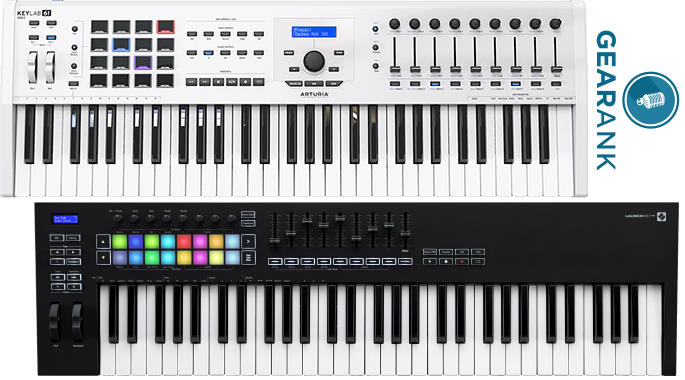
Main/Top Image: Created by Gearank.com using photographs of the Arturia KeyLab 61 MkII and Novation Launchkey 61 MK3.
The individual product images were sourced from websites, promotional materials or supporting documentation provided by their respective manufacturers.
The following controllers came off the recommended list when we published the August 2022 Edition:
Publication of our June 2021 Edition resulted in the following keyboards coming off the recommended list above, but you can still see our analysis of them:
As a result of our June 2020 update, the following came off the recommended list above, but you can still access our analysis of it:
Today we removed the following due to a lack of availability, but you can still read our analysis of it: Behringer MOTÖR 61.
As a result of our November 2019 update the following keyboards came off our recommended list above but you can still see our analysis of them:
Can you guys do a list on MIDI keyboards that include sequencers that are not just arps? I’m currently on a hunt for a midi keyboard that has a sequencer that does not work like an arp or have to be step recorded. More like an MPC type of sequencer but does not have to be made by Akai.
Im curious to why the SL MKIII by Novation is not on any of these lists.
The Novation 61SL MkIII was on our short-list for this guide however it didn’t have high enough ratings for us to recommend it above.
You can see all 3 Novation controllers that we considered along with their current ratings here.
Quick question, the MAudio Code is pretty dope, was it considered for this list?
Yes the M-Audio Code 61 was considered but didn’t have high enough ratings for us to include it in the recommended list above – you can see its ratings here.
What about Acorn Masterkey 61? It’s a marvelous midi keyboard, synth-sized keys, and it’s about 100 USD.
It didn’t quite have high enough ratings for us to recommend it when we published the current version of this guide.
However, I’ve just updated our ratings for it and it’s very close – it would have a good chance of making the recommended list above if we updated today and is currently on our short-list for consideration when we next update this guide.
it says “The 61-key keybed is semi-weighted, which gives it a synth style action…” which is it? semi-weighted and synth action are 2 diff things.
how do we know which do or don’t have full-sized keys? can we assume if it doesn’t specifically say so that they aren’t?
As a result of our May 2018 update of this guide, the following keyboard came off our recommended list but you can still read what we have to say about it: Nektar Impact LX61+
Has anyone used two or more of these stacked to run Hauptwerk virtual organs? If so, which one and how did it feel to play tracker organs vs other organs?
I read all the reviews and you consistently left out the part if they have a built in arpeggiator. Do you know how hard it is to find a 61 key weighted midi controller with a built in arpeggiator that can sync to incoming midi clock and has editable patterns? Why doesn’t someone make that? Closest and only one to be found is the Novation Impluse 61, but it’s keys are only semi-weighted, and barely at that.
if you’re buying a MIDI controller, why would you need a “built in” arpeggiator? there are tons of plugins that you can use. that’s probably why you aren’t seeing it on MIDI controllers.
Thank you very much for your feedback Lisa.
Arpeggiators that sync to MIDI aren’t always included in manufacturers’ specifications, however we will pay closer attention to this when we next update this guide and will try to include that information for as many keyboards as possible.
What about Arturia 61 key lab????
Our Gear Database is available to help you answer questions like this because it lets you look up an individual piece of gear or create lists of gear to compare.
I made a list of all the 61-key MIDI controllers in our database and sorted them by Gearank from highest to lowest rated – you can view the list here.
With a Gearank score of only 69 the Arturia KeyLab 61 is currently the 2nd lowest rated option in our database and as a result we haven’t recommended it in this guide.
Does Novation Launchkey 61 have Full size keys?
Novation hasn’t specified it exactly, but based on the length of the keyboard I’d say tentatively yes. I’ll post back if I can get more specific information.
I’ve sent another request to Novation, hopefully we’ll have an answer soon.
Novation has sent me the following answer:
“The Launchkey range features a synth-style keyboard with the key depth/size being full size”.
I’ve updated the details above to make clear that the keys are full size.
Would you recommend a beginner to begin with a 61-key controller?
Yes. The main thing for a beginner is if it has all the controls, buttons and knobs you need to control your DAW or plugins. 61-key controllers typically have more of those than smaller options.
Does the lAUNCH KEY 61 have Aftertouch?
We mistakenly reported the Novation Launchkey 61 as having aftertouch keys but it does not. I have corrected the error above.